Recovery and backups
Backups matter because Pali is non-custodial. The wallet cannot recover a seed phrase, password, private key, or passkey authenticator secret for you.
Seed phrase backup
Write down your wallet seed phrase and keep it offline. Anyone with the seed phrase can control the derived accounts.
Updating from v4
Update the existing extension in the same browser profile. The v4 → v5 upgrade keeps saved accounts, including separately imported private keys. Installing a separate extension or restoring only the seed phrase does not transfer those imported keys.
Unlock password
The optional Suggest a memorable password action creates an unlock password, not your Secret Recovery Phrase. Save it in your password manager. A smart-account passkey does not replace the wallet unlock password.
Private note backups
Separately back up every private note before forgetting, erasing or replacing a wallet. In Privacy, choose Reveal for backup for each saved note while the wallet is unlocked and keep the backup secret: anyone who has it can withdraw. Matching-phrase password recovery on the same device keeps supported saved private notes. The phrase alone cannot recreate missing notes or restore them on a new device. If you forget the password, keep the existing wallet data while recovering access.
Select an active note, choose Archive note, and confirm. Pali checks the recorded withdrawal and moves the note into an encrypted archive once it verifies a matching finalized withdrawal. Archived notes retain their secrets and can be restored, revealed for backup or included in an encrypted backup. They do not use the active-note allowance. The archive has its own limit of 512 notes and 4 MiB; the wallet's existing total storage limit still applies. Nothing is automatically erased to make space.
Clear archive permanently deletes only archived notes after authorization and a separate confirmation. Confirm that the notes are spent or keep a usable backup first. Your seed phrase cannot recreate deleted note secrets.
If you forget the password
On the extension's locked screen, select Forgot password? Recover with seed, enter this wallet's Secret Recovery Phrase, and choose a new password. The old password is not required. A different phrase is refused before any wallet data is changed.
With the saved wallet data intact, this flow preserves supported saved accounts, their derivation indexes, settings, private notes and signing records. Imported accounts are retained when their saved encrypted recovery copies are available. If required recovery data is missing or unsupported, recovery stops and preserves the existing wallet. Recovery does not move your funds.
A clean installation or lost browser profile needs separate backups for imported private keys and private notes. The seed phrase alone restores seed-derived accounts; add them in their original derivation order. Hardware wallets may need to reconnect. Keep the relevant smart-account records and passkey authenticators backed up for recovery on another device.
If recovery fails, check your phrase and retry. If it keeps failing, restart your browser. Never clear wallet storage to work around an operational error.
Unlocking and passkey changes
An unavailable browser service, storage problem, or unsupported cryptographic capability can prevent unlocking without meaning that your password is wrong. Read the error, restore the required service or connection, and retry unlocking. Do not delete or reimport the wallet to work around an operational error. Operational errors do not count as failed password attempts.
Replacing a passkey can leave both the previous and replacement credentials available. The previous credential may still control another chain or a shared policy. Do not delete either credential just because setup was cancelled or failed; first confirm which credentials the relevant accounts still require. Keep the current wallet data while investigating an interrupted change.
Passkey backup status
Passkeys can be device-bound or synced by the platform account provider. Pali surfaces backup-related status where available, but the exact behavior depends on the authenticator, browser, and operating system.
You may see status that suggests whether a passkey is device-bound, backup-eligible, or backed up/synced. A synced passkey is usually more convenient because it can follow you through a platform account such as Apple, Google, or Microsoft. A device-bound passkey or hardware security key can be stricter, but losing that device may make recovery harder.
| Status you may see | What it means | Convenience | Security tradeoff | Good fit |
|---|---|---|---|---|
| Backed up or synced | The passkey appears to be stored by a platform passkey provider and may sync to other trusted devices. | Highest. You can often recover after replacing a phone or laptop by signing back into the platform account. | The passkey secret is still protected by the platform passkey system, but the security boundary includes the platform account, account recovery process, and synced devices. | Everyday wallets, dapp accounts, institution onboarding, and smaller balances. |
| Backup eligible | The authenticator says the passkey can be backed up or synced, but it may not currently be synced. | Medium to high, depending on whether sync is enabled. | Future platform settings may move the credential into cloud sync. Review the provider and device settings if this matters to you. | Users who want recovery flexibility but still want to inspect whether sync is active. |
| Device-bound or not backed up | The passkey appears tied to one authenticator or device. | Lower. If the device is lost and no other recovery path exists, recovery can be harder or impossible. | Stronger isolation because control is concentrated in that authenticator instead of a cloud-synced account. | Larger balances, higher-security accounts, hardware security keys, and cold-wallet-style usage. |
| Unknown or unavailable | The browser, OS, or authenticator did not expose enough backup information. | Unknown. | Do not assume either cloud recovery or device-bound isolation. Treat it as ambiguous until you verify the authenticator setup. | Temporary use, testing, or cases where you can independently verify the passkey provider. |
Cloud-synced passkeys are still secure for normal use: the private key is not handed to Pali or the dapp, WebAuthn remains origin-bound, and user verification is still performed by the platform authenticator. The tradeoff is that the platform account becomes part of your wallet security model. For cold storage, treasury funds, or large long-term balances, prefer a device-bound authenticator or hardware security key and keep only smaller operational funds in synced passkey-controlled accounts.
Backup status is a signal to help you choose between convenience and security. It does not replace your seed phrase backup, and it does not mean Pali or an institution can recover a passkey secret for you.
Recovering smart accounts
Restoring wallet records and replacing account control are different operations. Restoring a seed or discovering an existing smart account brings records back into Pali; it does not bypass the account's current signing policy or undo a completed guardian recovery.
Pali smart-account recovery depends on the installed modules. A passkey-controlled account needs the relevant WebAuthn credential to approve future actions. A guardian recovery module can replace the active validator after the configured timelock if the guardian threshold signs the recovery intent. The recovery flow may:
- Reconstruct deterministic Pali account records from wallet metadata.
- Ask for a WebAuthn assertion when a passkey validator must prove control.
- Use guardian recovery when the active validator needs to be replaced.
- Skip accounts already in the wallet.
- Show recoverable accounts with balance and activity hints where available.
- Import the accounts selected by the user.
Guardian recovery quick guide
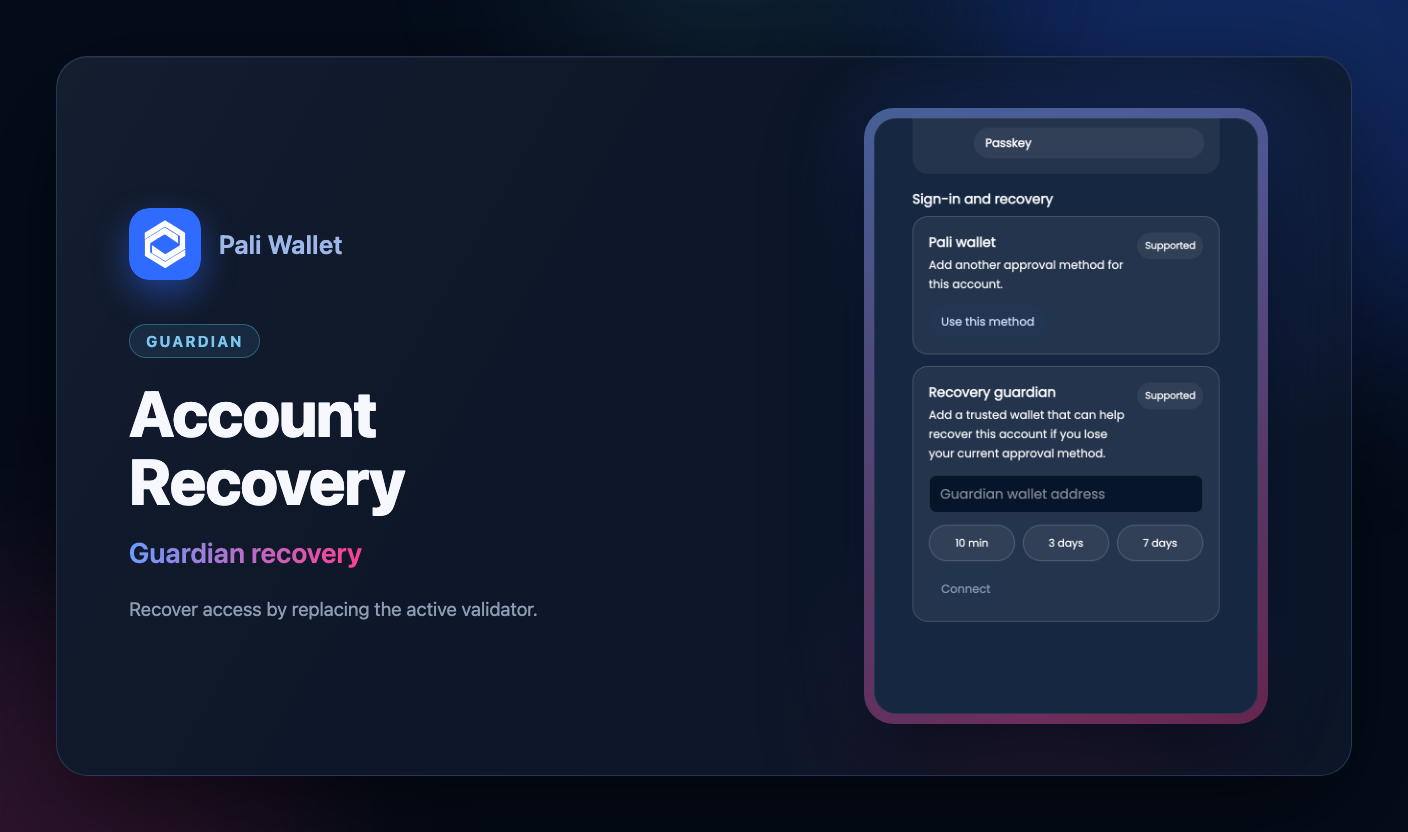
- Set up a separately controlled guardian while your current approval method still works. New policies offer 3- or 7-day waits; the 10-minute choice is for known testnets only. Existing on-chain settings remain authoritative.
- Start recovery with the configured guardian and a replacement approval method you control. The old method remains active until the request is finalized on-chain. After the waiting period, finish recovery before its expiry; the account address and funds stay in place.
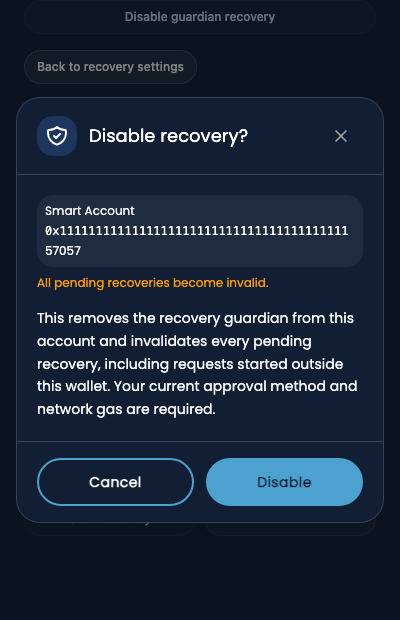
- For an unexpected request, use Disable guardian recovery from that account's recovery settings while you still control its current approval method. Confirmed removal invalidates pending recovery and removes the recovery path; it cannot undo a recovery already finalized. This action needs gas. Check an uncertain transaction on-chain before retrying.
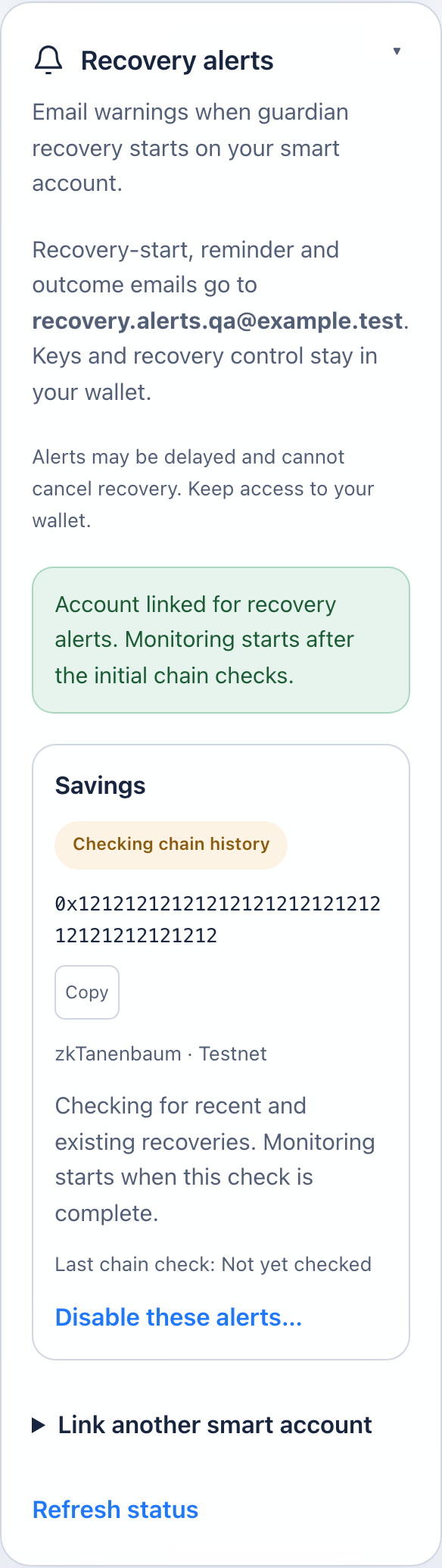
- For optional email monitoring through the external Sysnode service, sign in to Sysnode Account → Recovery alerts with a verified email address, then connect the deployed smart account and approve a wallet signature. Signing keys remain in your wallet; email cannot cancel recovery.
Email alerts may be delayed or not delivered. You can check recovery status directly in Pali.
Follow the complete guardian recovery guide for setup, finalization, ownership, and monitoring limits. Keep replacement credentials backed up; do not erase previous credentials that other accounts or networks may still use.
Dapp creation and wallet recovery
When a dapp calls wallet_prepareSmartAccount, Pali creates a smart account and saves durable metadata locally after deployment and any requested validator setup completes. Pali also keeps local records of pending passkey setup before installation, so an interrupted change does not silently discard those recovery details. These records do not replace a seed backup or access to the passkey.
If a smart account exists on-chain and is missing locally, use Pali's wallet recovery flow. Pali skips accounts already present locally and lets the user choose which remaining accounts to import.
Recovery screens
These screenshots use the English interface and example accounts. Labels and networks may differ in your wallet.
Choose a guardian
Review recovery removal
Verify alert monitoring